

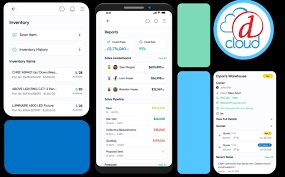
D-Tools has introduced a new Cloud Mobile App designed to give integration firms real-time access to project management and operational tools from the jobsite or the office.
The native iOS and Android application extends the functionality of D-Tools Cloud, offering offline-capable access to schedules, tasks, time tracking and team communications.
According to the company, the D-Tools Cloud Mobile App is built for technicians, project managers, and office staff who need consistent access to project information while working across multiple locations. The app is designed to function without Wi-Fi or cellular service, automatically syncing data in the background once connectivity is restored.
“Everyone is on the go — we live on our phones, and our work lives there, too,” says Randy Stearns, CEO of D-Tools in the company announcement. Stearns notes that the D-Tools Cloud Mobile App is intended to help integrators stay aligned between the field and the office while adding functionality to scheduling, task management and timekeeping workflows.
The mobile app, available now as a free download through the Apple App Store and Google Play, consolidates common field and office workflows into a single interface. Field technicians can view assignments, log hours, capture notes and communicate with team members through in-app chat, with optional SMS messaging for customer communication.
Office staff can monitor job progress, manage schedules and service calls and update opportunities and inventory remotely.
Key features of the D-Tools Cloud Mobile App, include native support for both iOS and Android phones and tablets, offline mode with automatic background synchronization, push notifications, and a mobile-focused user interface. The app also supports calendar management, task tracking, service calls, time entry, unified project notes, and mobile access to schedules, opportunities, and inventory.
The company positions the app as a way to improve mobility and efficiency for integration teams, while maintaining continuity between desktop and mobile environments using a single D-Tools Cloud account